


Best aural training apps for musicians in 2026


For exam prep, EarMaster is the clearest choice. For melodies, Sonofield. For chords, Chet. For beginners on iOS, Tenuto. For producers and desktop users, ToneGym. That is the short answer. The longer one depends on your device, your budget, and whether you are working towards ABRSM or Trinity grades.
Quick picks by use case:
Exam prep (ABRSM/Trinity): EarMaster — 4,000+ exercises with dedicated ABRSM modules and live sight-singing feedback
Melodies and hands-free practice: Sonofield — feeling-based, contextual exercises that transfer quickly to real music
Chord recognition: Chet — real song examples and multiple input methods
Beginners and quick drills: Tenuto — clean iOS interface, low cost, focused on intervals and scales
Producers and desktop users: ToneGym — browser-first, gamified, with community drills
Progressive course with a one-off cost: Complete Ear Trainer — 11 drill types, 36 chord types, no ongoing subscription
Functional/tonal hearing: Functional Ear Trainer — key-anchored practice for faster musical transfer
Android/iOS depth on a budget: Perfect Ear — highly configurable drills, free tier available
All eight apps have a free tier or trial. Start there before committing to a subscription. If you are preparing for ABRSM or Trinity and want a teacher to guide your ear-training homework, Danpianostudio offers lessons in Central London and online that integrate app practice directly into your lesson plan.
Table of Contents
How these apps compare at a glance
App | Best for | Platforms | Pricing model | Skills trained | Exam support | Input methods | Offline | Trade-offs |
Exam prep, classroom | iOS, Android, Windows, macOS | Subscription + free trial | Intervals, chords, rhythm, melodies, sight-singing | ABRSM, RCM, Trinity | Notation, pitch tap, humming/singing | Yes | Steeper learning curve; desktop feels more polished than mobile | |
Tenuto | Beginners, quick drills | iOS only | One-off purchase (low cost) | Intervals, scales, note recognition | None explicit | Notation, tap | Yes | iOS only; no adaptive learning or progress tracking |
Producers, desktop users | Web (browser) | Freemium + subscription | Intervals, chords, rhythm, melodies | None explicit | Tap, notation | No (web-based) | Requires internet; less suited to formal exam prep | |
Progressive learners, teachers | iOS, Android | Free tier + one-off unlock | Intervals, chords, melodies, rhythm | Curriculum-aligned | Notation, tap | Yes | Less adaptive than subscription rivals; UI feels utilitarian | |
Perfect Ear | Android/iOS depth | iOS, Android | Free tier + in-app purchases | Intervals, chords, scales, rhythm, melodies, sight-singing | None explicit | Notation, tap, singing | Yes | Piecemeal IAP model can add up; no ABRSM-specific modules |
Functional Ear Trainer | Tonal/functional hearing | iOS, Android | Free | Intervals in tonal context | None explicit | Tap | Yes | Narrow scope; no rhythm or sight-singing |
Chet | Chord recognition | iOS, Android | Free tier + subscription | Chords, progressions | None explicit | Multiple (tap, notation, real songs) | Partial | Limited beyond chord work |
Melodies, hands-free | iOS, Android, web | Free tier + subscription | Melodies, intervals, contextual hearing | None explicit | Humming, tap, hands-free | Partial | Narrower skill breadth than EarMaster |
What each app actually does well (and where it falls short)
EarMaster
EarMaster is the most thorough option for anyone sitting ABRSM or Trinity grades. Its 4,000+ exercises span every core aural skill: interval recognition, chord identification, melodic and rhythmic dictation, and sight-singing with live pitch analysis. The ABRSM and RCM modules map directly to syllabus requirements, which means you are not just drilling randomly. You are practising the exact question types that appear in the exam room.
The sight-singing feedback is the feature that sets it apart from most rivals. The app listens to your sung pitch in real time and tells you where you drifted. That closes the feedback loop between hearing and producing sound in a way that passive listening drills simply cannot. Multi-modal training combining intervals, chords, rhythm, dictation, and sight-singing is widely regarded as the gold standard for exam-focused mastery, and EarMaster delivers all five.
Best for: Exam candidates (ABRSM/Trinity), classroom teachers, serious students. Trade-off: The desktop version is more fully featured than the mobile app, and the interface takes a session or two to navigate confidently. Pricing: Free trial available; subscription required for full access.
Tenuto
Tenuto does one thing and does it cleanly: focused theory and interval drills on iOS. There is no subscription, no adaptive algorithm nudging you through a curriculum. You pick a drill, you do it, you move on. For a student who wants a low-friction way to practise note recognition or scale identification between lessons, that simplicity is a genuine virtue.
The trade-off is scope. Tenuto does not train rhythm, sight-singing, or chord progressions in any depth, and it is iOS-only. Progress tracking is minimal. Think of it as a well-designed flashcard set rather than a full ear-training course.
Best for: Beginners, iOS users wanting quick focused drills. Pricing: Low one-off cost; no subscription.
ToneGym
ToneGym lives in the browser, which makes it the natural choice for producers and desktop-first learners who do not want to switch between a DAW and a phone app. The gamified skill paths and community leaderboards give it a social dimension that most ear-training tools lack. Drills cover intervals, chords, rhythm, and melodies, and the interface is clean enough that sessions feel more like a game than homework.
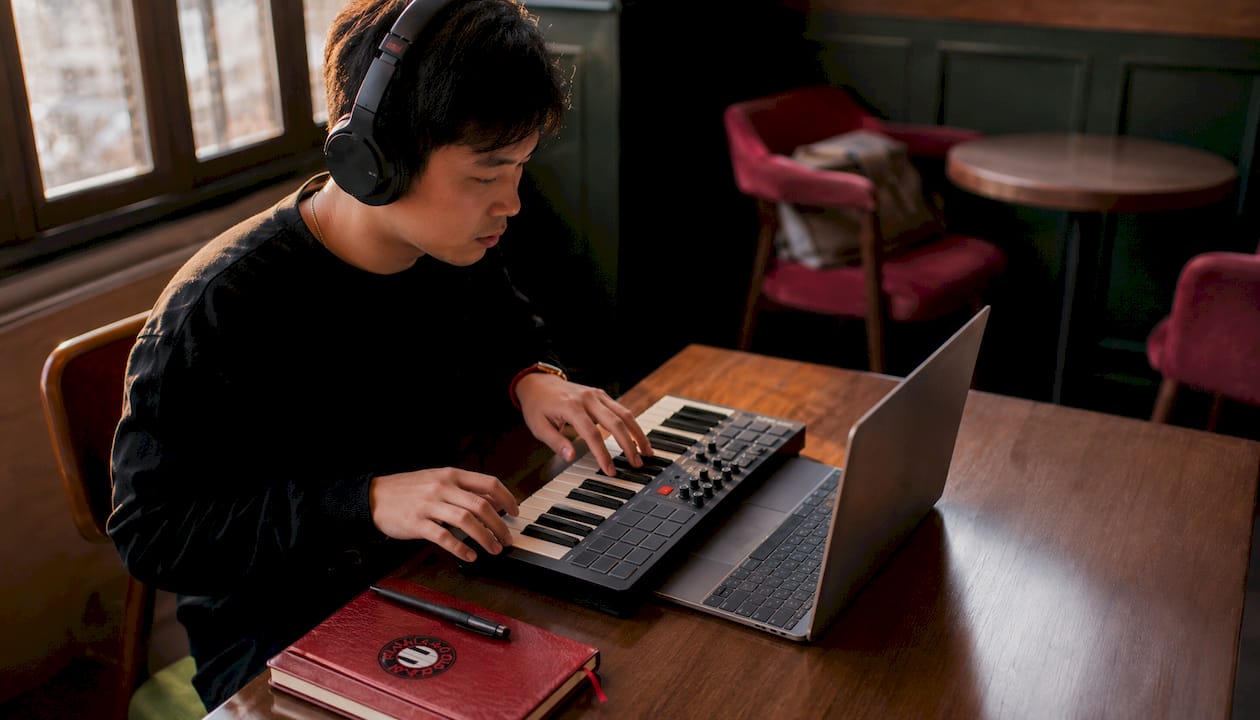
The limitation is the same as its strength: it is web-based, so it requires an internet connection and does not map to ABRSM or Trinity syllabi. If your goal is exam prep, look elsewhere. If your goal is building a sharper ear for production work, ToneGym fits the workflow.
Best for: Producers, desktop users, learners who respond to gamification. Pricing: Freemium with a paid subscription tier.
Complete Ear Trainer
Complete Ear Trainer structures its content like a progressive course rather than a random drill generator. With 11 drill types, 24 intervals, and 36 chord types, it covers more harmonic ground than most apps at its price point. The one-time purchase option to unlock the full version is a real differentiator: you pay once and own it, which suits learners who dislike ongoing subscriptions.
Teachers get something useful here too. The app supports custom training programmes and private leaderboards, making it workable for small group or classroom settings. The UI is functional rather than beautiful, and the adaptive logic is less sophisticated than EarMaster, but for a self-directed learner who wants a structured path without a monthly fee, it is hard to beat.
Best for: Self-directed learners, teachers running small groups, anyone who wants a one-off purchase. Pricing: Free tier; one-time in-app purchase for full access.
Perfect Ear
Perfect Ear covers the widest skill range of any free-tier mobile app: intervals, chords, scales, rhythm, melodic dictation, sight-reading, and pitch singing. The custom drill editor is genuinely powerful. You can define your own chord types, scale patterns, and rhythmic figures, which means the app grows with you rather than capping out at intermediate level.
The pricing model is its main friction point. The base app is free, but skills are gated behind individual in-app purchases (interval pack, chord pack, rhythm pack, and so on), which can accumulate. The full exercise pack is available as a bundle, but it is worth checking the current App Store pricing before assuming it is the cheapest option. No ABRSM-specific modules exist, but the breadth of drills makes it a solid companion for exam prep when used alongside a teacher.
Best for: Android and iOS users wanting depth and configurability without a high upfront cost. Pricing: Free tier; individual packs or full bundle via in-app purchase.
Functional Ear Trainer
The core idea behind Functional Ear Trainer is that hearing an interval in isolation is less useful than hearing it in relation to a tonal centre. Every exercise is anchored to a key, so you learn to recognise a major sixth not as an abstract sound but as a specific scale degree within a harmonic context. Apps that anchor exercises to a tonal centre transfer faster to real music than those presenting decontextualised drills, and Functional Ear Trainer is the purest expression of that method.
The scope is deliberately narrow. There is no rhythm training, no sight-singing, no chord progression work. It does one thing with real conviction. Pair it with a broader app like EarMaster or Perfect Ear if you need full-spectrum training.
Best for: Learners focused on relative pitch and tonal hearing, improvisers, jazz students. Pricing: Free.
Chet
Chet is built around chord recognition, and its distinguishing feature is the use of real music examples rather than synthesised tones. Hearing a chord in the context of an actual recording is a different cognitive task from identifying it in isolation, and Chet leans into that. Multiple input methods (tap, notation, and real-song identification) give it flexibility that pure drill apps lack.
Outside chord work, Chet is limited. If intervals, rhythm, or sight-singing are your priority, it will not serve you well as a standalone tool. As a chord-focused companion to a broader app, it earns its place.
Best for: Chord recognition, learners who want authentic musical context. Pricing: Free tier with subscription option.
Sonofield
Sonofield positions itself around feeling and context rather than abstract drill repetition. Its melodic training exercises are designed to build a sense of musical meaning rather than just pattern recognition, and the hands-free input option makes it practical for singers or learners who want to train away from a keyboard. Sonofield recommends key-anchored methods for faster musical transfer, and its own exercises reflect that philosophy.
The skill breadth is narrower than EarMaster or Perfect Ear. Rhythm training and sight-singing are not its focus. For melodic ear development specifically, though, it is one of the most thoughtfully designed options available.
Best for: Melodic recognition, singers, hands-free learners. Pricing: Free tier with subscription.
Exam support and input methods at a glance:
Feature | EarMaster | Complete Ear Trainer | Perfect Ear | Sonofield | Chet | Functional Ear Trainer | ToneGym | Tenuto |
ABRSM modules | Yes | Partial | No | No | No | No | No | No |
Sight-singing feedback | Yes | No | Yes (pitch) | No | No | No | No | No |
Tonal/key anchoring | Partial | No | No | Yes | Partial | Yes | Partial | No |
Real music examples | No | No | No | Yes | Yes | No | No | No |
Teacher/admin tools | Yes | Yes | No | No | No | No | No | No |
Offline availability | Yes | Yes | Yes | Partial | Partial | Yes | No | Yes |
How these apps were judged
Three criteria shaped the picks more than anything else.
Pedagogy and transfer to real music came first. An app that presents random interval drills without harmonic context trains pattern recognition, not musical hearing. The strongest apps either anchor exercises to a tonal centre (Functional Ear Trainer, Sonofield) or provide enough structural scaffolding that skills transfer to sight-reading and improvisation. Method matters more than brand: functional ear training produces faster musical transfer than decontextualised drills.
Breadth of skills trained was the second filter. Exam candidates need intervals, chords, rhythm, melodic dictation, and sight-singing. An app covering only two or three of those is a supplement, not a primary tool. EarMaster and Perfect Ear scored highest here.
UX and feedback quality determined the final ranking within tiers. An app that gives you a right/wrong answer and moves on is less useful than one that shows you where your pitch drifted or which chord type you consistently confuse. Live pitch analysis for sight-singing closes the feedback loop in a way that passive drills cannot.
Exam support was verified against published ABRSM and Trinity syllabi. EarMaster’s ABRSM modules are explicitly documented on the product site. Other apps were assessed on whether their drill types map to syllabus requirements, even without branded exam labels. App store listings and user reviews provided a secondary signal for UX quality and common pain points such as MIDI or microphone issues.
A disclosure: feature descriptions draw on app documentation, publisher claims, and the research pool. Where vendor claims could not be independently verified, they are attributed to the publisher rather than stated as fact.
How to choose the right app for your goals
Start with your primary goal, then work through this checklist.
What is your main goal? Exam prep, melodic ear, chord recognition, rhythm, sight-singing, or general musicianship? Each maps to a different app.
Which device do you use most? Tenuto is iOS-only. ToneGym is web-only. EarMaster, Perfect Ear, and Complete Ear Trainer cover both mobile platforms and desktop.
What is your budget? Free options (Functional Ear Trainer, free tiers of Perfect Ear and Sonofield) are genuinely useful. One-off purchases (Tenuto, Complete Ear Trainer) suit learners who dislike subscriptions.
Does the app analyse your sung pitch? If sight-singing is part of your exam or practice, this is non-negotiable. EarMaster and Perfect Ear both offer it.
Can you set a tonal centre? For functional ear training, you need key-anchored exercises. Functional Ear Trainer and Sonofield do this explicitly.
Does it export student progress for teachers? EarMaster and Complete Ear Trainer both support teacher oversight. If you are a teacher setting homework, this matters.
Is there a trial or free tier? Every app on this list offers one. Never pay before testing.
Does the app cover the specific ABRSM or Trinity drill types you need? Check the ABRSM vs Trinity differences before assuming any app’s exam modules match your syllabus.
Red flags to avoid: no progress tracking at all; drills that are entirely random intervals with no key context; no trial or free tier; no feedback beyond right/wrong. One-off apps are often cheaper but less adaptive over time. If you are preparing for a graded exam, adaptive difficulty and progress tracking are worth paying for.
How to use ear-training apps effectively
Short, daily sessions of 5–10 minutes produce faster gains in relative pitch than one long weekly session. The reason is consolidation: frequent retrieval practice strengthens the neural pathways that connect what you hear to what you can name and reproduce. Sporadic marathon sessions do not replicate that effect.
A simple daily routine:
Minutes 1–2: Interval or chord recognition drill (EarMaster, Perfect Ear, or Functional Ear Trainer)
Minutes 3–4: Sing the interval or chord before checking the answer. Do not skip this step.
Minutes 5–7: Melodic dictation or sight-singing exercise
Minutes 8–10: Play what you just heard on your instrument. Transcribe one short phrase by ear.
The physical application step is what most learners skip, and it is the most important part. Integrating aural drills with instrument practice greatly improves transfer. Hearing a minor third in an app drill is one thing; finding it on the piano immediately afterwards locks it in.
Pro Tip: Sing intervals before you find them on the keyboard. If you can produce the sound vocally, you have genuinely internalised it. If you can only recognise it when played back, you are still at the identification stage.
Quick exercise templates:
Melodic dictation: Play a 4-note phrase in your app, pause, sing it back, then notate it.
Chord on/off: Identify a chord type, then play it in three different inversions on your instrument.
Rhythm echo: Clap the rhythm the app plays before entering your answer.
For teachers, the most effective homework task is a specific drill type tied to the lesson’s focus, not an open “practise ear training” instruction. Assign a particular exercise category, set a target accuracy, and review the progress report in the next lesson.
How Dan at Danpianostudio integrates ear-training apps into lessons
Apps work best as a bridge between lessons, not a replacement for them. At Danpianostudio, ear-training apps are used as structured homework tools that reinforce what was covered in the lesson and prepare students for what comes next. The teacher’s role is to set the right drill type, monitor progress, and bring the app exercises back into live music-making at the piano.
How it works in practice:
Beginners: A student learning their first intervals gets a specific Tenuto or Perfect Ear drill assigned as homework. In the next lesson, those intervals are played and sung at the piano before moving to new material.
Exam students: For ABRSM Grade 5 and above, EarMaster’s dedicated modules are assigned alongside the ABRSM preparation work covered in lessons. Progress reports are reviewed at the start of each session.
Adult learners: Adults returning to the piano often find chord recognition the most immediately useful skill. Chet or Complete Ear Trainer is assigned for chord work; the following lesson uses those chords in a piece or improvisation exercise.
Lesson integration steps:
Set a specific drill category tied to the lesson’s focus (not a general “practise ear training” instruction)
Agree a daily time target (5–10 minutes) and a two-week accuracy goal
Review the app’s progress report at the start of the next lesson
Bring one app exercise into the lesson as a live duet or call-and-response activity
Adjust difficulty to match the current ABRSM or Trinity grade requirements
Danpianostudio covers piano exam grades from beginner through to advanced, and ear training is woven into every stage. The apps listed here are recommended because they complement that structured, teacher-led approach rather than replacing it.
Key takeaways
The most effective approach to ear-training apps is to choose by primary goal first, then use short daily sessions with immediate physical application at your instrument.
Point | Details |
Choose by primary goal | Exam prep: EarMaster. Melodies: Sonofield. Chords: Chet. Beginners: Tenuto. Producers: ToneGym. |
Daily practice beats marathon sessions | 5–10 minutes daily with singing and instrument work produces faster relative-pitch gains than sporadic longer sessions. |
Method matters more than brand | Key-anchored, functional ear training transfers faster to real music than random interval drills. |
Exam alignment needs verification | Only EarMaster has explicit ABRSM and RCM modules; check syllabus fit before choosing an app for graded exam prep. |
Danpianostudio for teacher-led training | Danpianostudio offers lessons in Central London and online that integrate app-based ear training with guided ABRSM and Trinity exam preparation. |
Why these picks reflect how ear training actually works
The conventional wisdom in ear-training circles is that more drills equal better ears. It does not. The research and practitioner evidence point consistently to the same conclusion: method and context matter far more than volume. An app that presents 500 random interval drills will produce slower gains than one that anchors 50 exercises to a tonal centre and asks you to sing the answer before tapping it.
That is why Functional Ear Trainer and Sonofield appear on this list despite their narrow scope. They are doing something pedagogically sound that many feature-rich apps ignore. Conversely, EarMaster earns its top ranking for exam prep not just because it has the most exercises, but because its multi-modal structure mirrors the actual demands of the exam room: you need to hear, identify, notate, and sing, often in the same question.
The other thing most roundups underweight is the transfer problem. Recognising a diminished seventh in an app drill and hearing it in a Chopin nocturne are different skills. The apps that close that gap fastest are the ones that use real musical context (Chet, Sonofield) or require you to produce the sound rather than just identify it (EarMaster’s sight-singing, Perfect Ear’s pitch singing). If your app never asks you to open your mouth or pick up your instrument, you are training recognition, not musicianship.
Private lessons that include guided ear training
If you have read this far and you are still not sure which app fits your situation, that is usually a sign that you need a teacher to diagnose the gap rather than another app to fill it.
Danpianostudio offers private piano lessons in Central London and online, and ear training is built into every lesson plan rather than treated as a separate homework task. Whether you are a beginner working through your first intervals, an adult learner developing chord recognition, or a student preparing for ABRSM or Trinity grades, lessons are tailored to your current level and goals. The online lesson option means location is no barrier, and lesson packs are available for students who want a structured block of sessions. For those in London, in-home lessons are available across Central London, Camden, and King’s Cross. Book a trial lesson to find out which ear-training approach, and which app, will actually move the needle for you.
Recommended


Comments